Changing a Plan Price
Key Recommendations:
1. We recommend you update, or increase your plan prices as frequently as you increase your fees in your office.
2. We always recommend scheduling a call with an Account Manager to assist you in updating your plan prices.
Schedule that call HERE.
If you're feeling confident to do this on your own you'll want to select the plan and find the Change Plan Pricing link towards the top right.
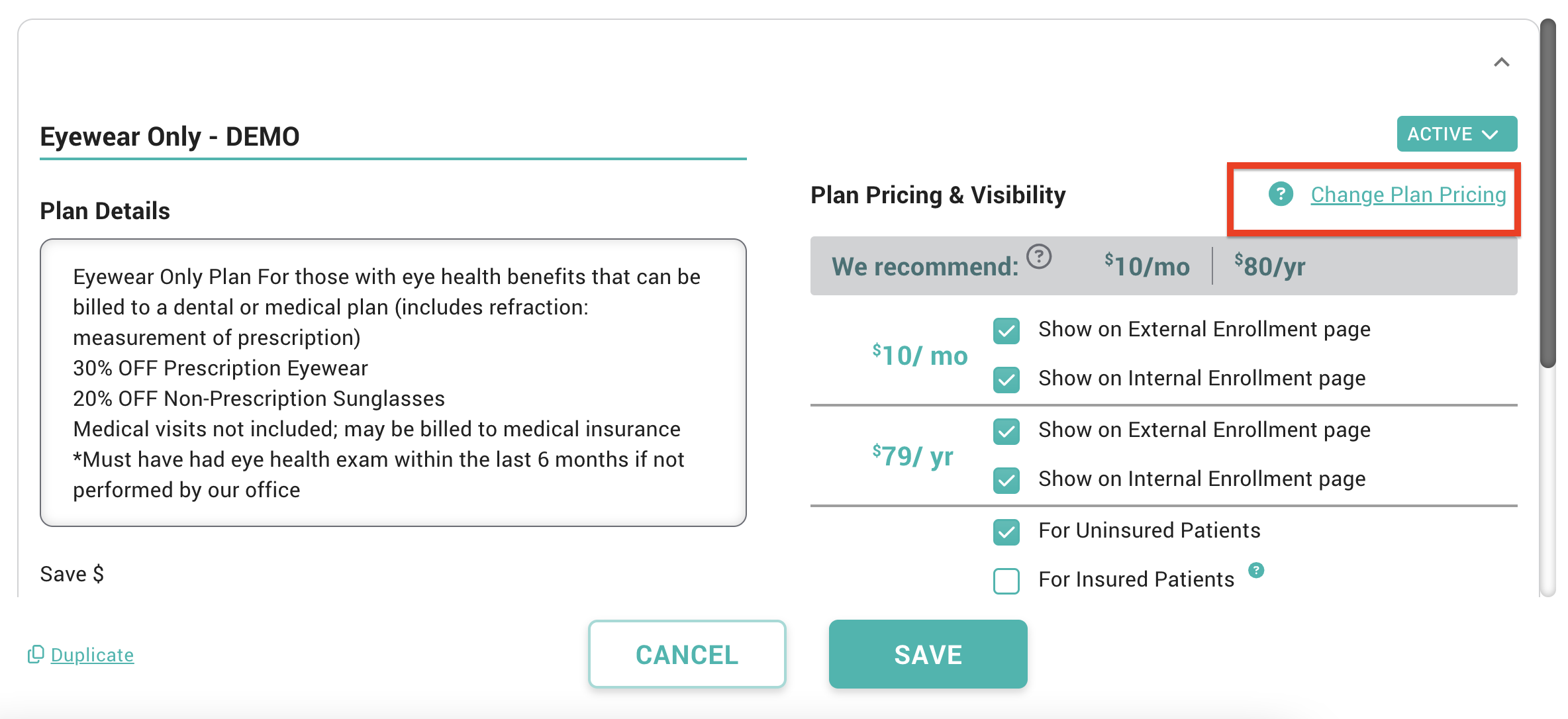
Click that link and enter the new/updated plan rates.
NOTE: When you change the price of any plan VisionHQ will notify your members enrolled in that plan of the new rate. VHQ sends your members enrolled in that plan a 30-day notification email of their specific renewal date and rate.
The new plan rate will only go into effect after the existing members renewal takes place.
Related Articles
How To: Cancel a member's plan
Important info: Please note that EVERY member that has enrolled in a plan is locked into a 12 month term. They agree to this the moment they enroll and it’s defined in the terms & conditions. This means you should NOT be cancelling a monthly paying ...How to Succeed as a Plan Coordinator
You may find yourself in a position where you have been appointed the role of "Plan Coordinator" for your VisionHQ Membership Plans. What does that mean? Simply put, the Plan Coordinator (PC) is the liaison between your office and VisionHQ, much like ...How To: Change a member's plan
Navigate to the Members tab Select the member in question from the list Click the 'change plan' link under the “Actions” button of Roger's “Plans”' tab and follow the prompts. Select the new plan Select the effective date Immediately On Term Renewal ...Early Renewal When a Member's Plan is Pending a Change
Here you'll find step by step instructions on how to handle instances when patients come into the office and are wanting to renew their plan while there is a pending plan change in effect on the account. You will likely see this 'change pending' ...Upload Patients and Invite Them to Join Your Membership Plan
Get a head start with your membership strategy by converting your patients into members in just a few steps! Steps to Upload Patients Click the "Upload Invite List" button on your MEMBERS tab. Choose the preferred communication method - text and / or ...