Upload Patients and Invite Them to Join Your Membership Plan

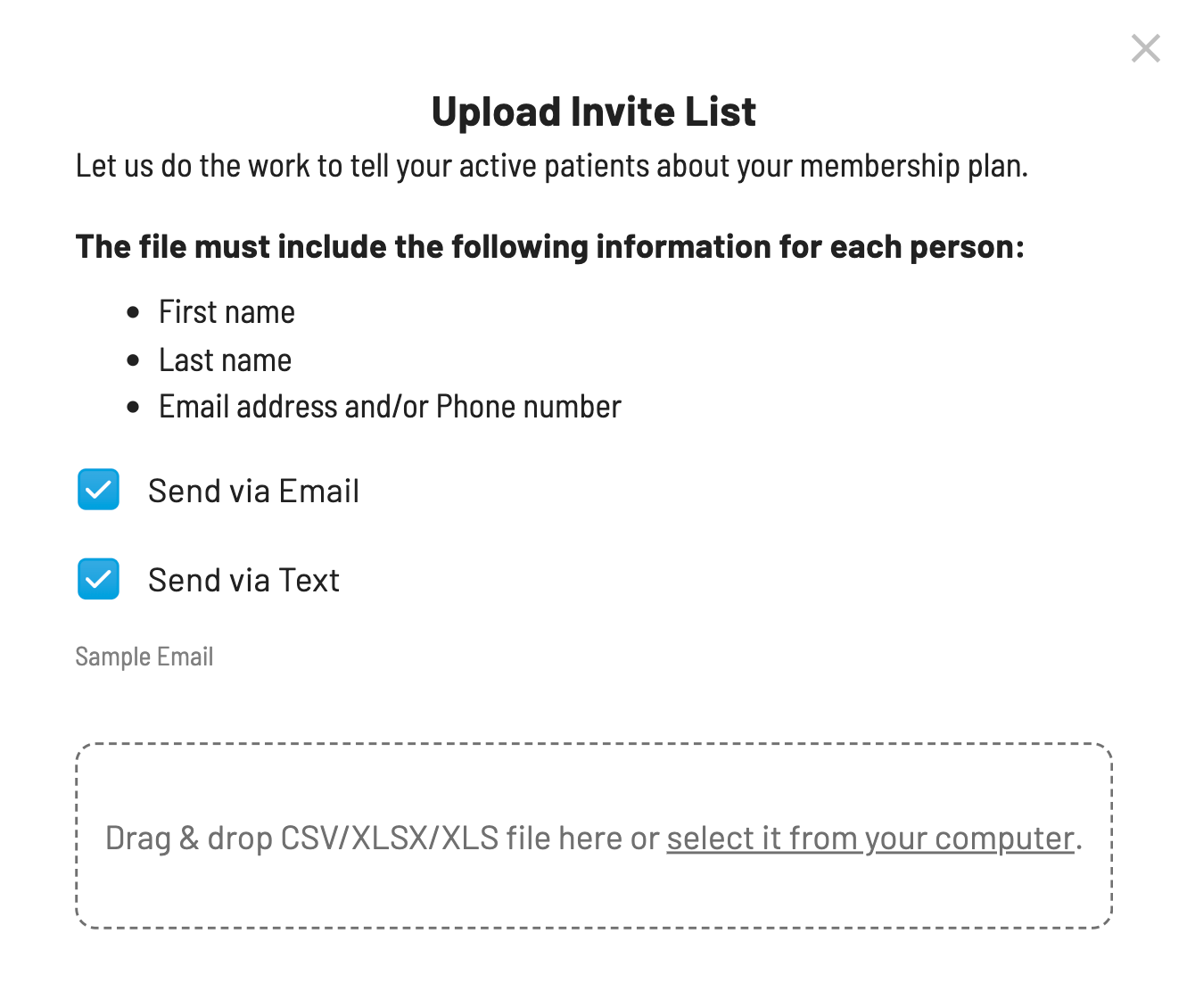
Get a head start with your membership strategy by converting your patients into members in just a few steps!
Steps to Upload Patients
Click the "Upload Invite List" button on your MEMBERS tab.
Choose the preferred communication method - text and / or email - (we recommend both!) to notify your patients.
Upload your file:
You can drag and drop it into the uploader or browse to locate it on your computer.
Accepted file formats: .CSV, .XLSX, or .XLS
Ensure your document contains the following column headers:
First Name
Last Name
Email Address (Optional)
Phone Number (Optional)
Pro Tip: Our guarantee is if you tell your patients about the plan, they will sign up. Your outreach makes a difference!
Related Articles
Add plans for insured patients
Increase patient care for both insured and uninsured patients with VisionHQ. While creating or editing a membership plan, to designate a plan that is available to insured patients, simply check the box "For Insured Patients" Patient care goes beyond ...Tracking membership payments and treatments
5 Best Practices to Track Treatment and Payment With your Vision Membership Plan The key to tracking membership plan treatmentsand payments is separating the two. Fees paid for membership plans should be posted in a dummy patient account, once a ...How To: Cancel a member's plan
Important info: Please note that EVERY member that has enrolled in a plan is locked into a 12 month term. They agree to this the moment they enroll and it’s defined in the terms & conditions. This means you should NOT be cancelling a monthly paying ...How do I import members from another membership plan platform?
Request a list of your existing members from your membership plan platform. Request that they include all available information. Armed with that information, read on... 1. Decide on a "go live" date. Since there are so many unknowns early on, you ...Early Renewal When a Member's Plan is Pending a Change
Here you'll find step by step instructions on how to handle instances when patients come into the office and are wanting to renew their plan while there is a pending plan change in effect on the account. You will likely see this 'change pending' ...