Member Terms & Conditions
The Member Terms and Conditions can be found on the Help icon in the bottom right corner of the screen, then select Member Terms & Conditions under the Links section.
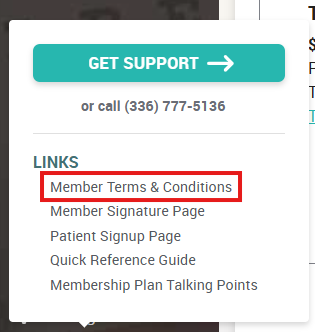
They're also made available at checkout on all enrollment forms.
Related Articles
How To: Cancel a member's plan
Important info: Please note that EVERY member that has enrolled in a plan is locked into a 12 month term. They agree to this the moment they enroll and it’s defined in the terms & conditions. This means you should NOT be cancelling a monthly paying ...How Contracts Work When a Member Wants to Cancel
Regardless of how your members choose to pay, (whether monthly or annually) they are locked into a 12 month contract or term. By their enrollment, patients are automatically agreeing to our Terms & Conditions which bring them into this 12 month ...How Contracts Work When a Patient Wants to Cancel
Regardless of how your members choose to pay, (whether monthly or annually) they are locked into a 12 month contract or term. By their enrollment, patients are automatically agreeing to our Terms & Conditions which bring them into this 12 month ...Member Statuses
In your Member List, the badges next to each member's name denote their current status. The color and the text tell you the full story: - Green means this member currently has an active membership. The text may read “ACTIVE” or “PAID IN OFFICE”. - ...How to Handle Delinquent Accounts
When a member's account is delinquent it means that they have failed to pay their membership plan balance. This usually happens when a member has been paying monthly and stops making the monthly payments prior to their 12 month term being fulfilled. ...