Customize Your Patient Sign-up Page
You now have the ability to personalize your Patient Sign-up Page with your branded colors and a selection of images. This feature allows you to create a professional and cohesive look that aligns with your brand identity. This is the page we recommend building into your website. Simply send your web developer or management company the url or link to your patient sign-up page. You’ll find this under HELP on the lower left or under your Marketing tab in the left menu bar of the platform.
How to Customize
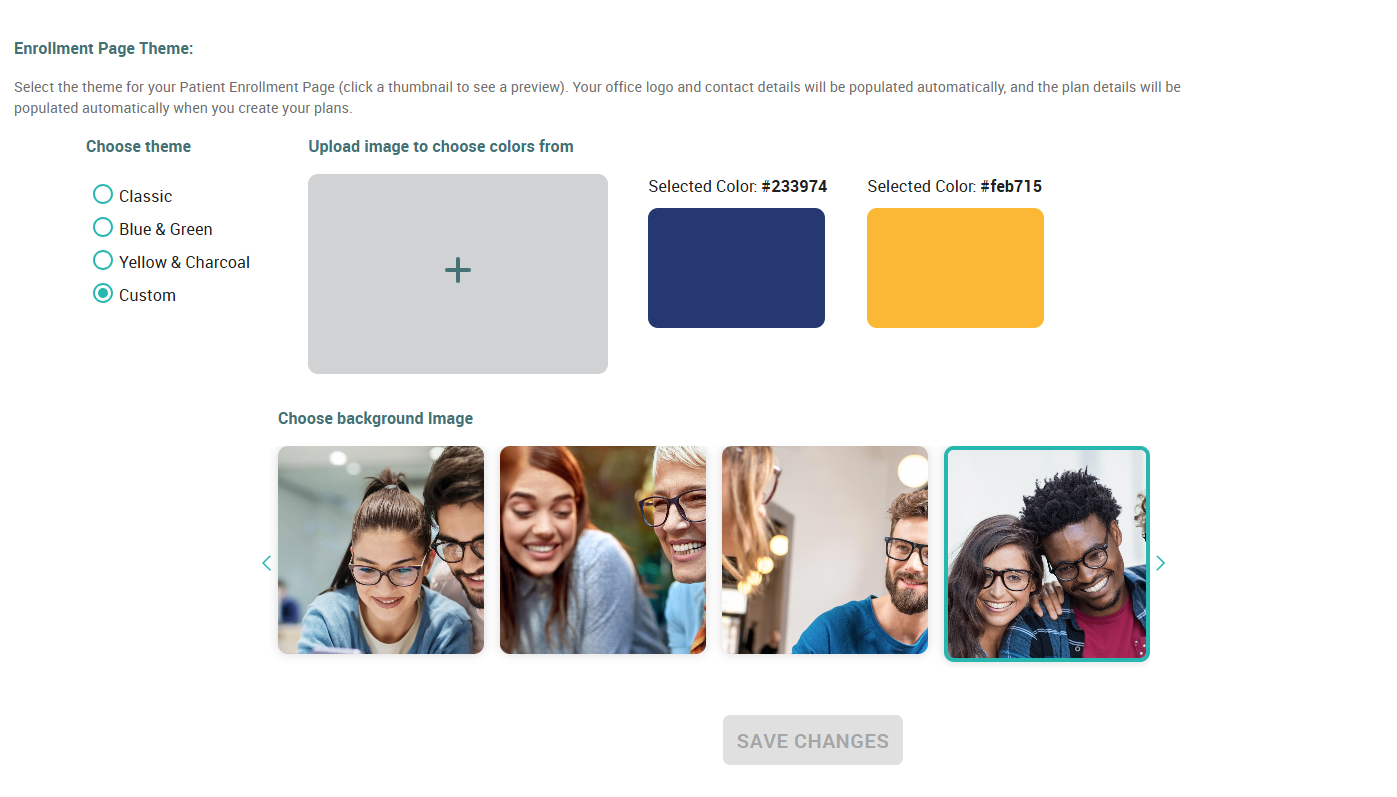
To custom brand this page, follow these steps:
Navigate to Settings → Profile & Branding
Scroll to the bottom of the page
Customize using the following options:
Choose Colors
Upload an image that features your brand colors
Use our dedicated Color Picker tool to select and apply your desired shades
Choose a Background
Browse our selection of background images
Choose an image that best complements your brand messaging
Simply select an image to apply it to your Patient Sign-up Page
Be sure to save your changes
Start Customizing Today!
Make your Patient Sign-up Page truly reflect your brand—access your Settings and get started now!
Related Articles
Launching & Marketing Your Plans
1. Sending Email & Text Blasts Informing ALL your patients of your membership plans is a great way to get immediate members. We've written the email and text blasts for you. You'll find our templates under the Marketing tab, accessible in your left ...How to Enroll a Patient
There are two ways to start the Enrolling Members process: Click in the upper right corner Click Members, then From there, simply fill the fields with the appropriate information. A few notes: (M) = Monthly / (Y) = Yearly In the event of a monthly ...How To: Change Enrollment Page Theme
Chances are, you selected an enrollment page theme while you were enrolling your office. But if you've changed your mind, are going through a rebranding of your practice, or just like to shake things up a bit, you can easily change your color scheme. ...Activity Page (a.k.a. Reports)
TL;DR The "Activity" page is your newly designed Reports Page. Payout Reports, Monthly Reports, and Payment Ledger, all in one place. Taking cues from many online banking websites, we've organized all reports on one page with an activity ledger – aka ...How Contracts Work When a Patient Wants to Cancel
Regardless of how your members choose to pay, (whether monthly or annually) they are locked into a 12 month contract or term. By their enrollment, patients are automatically agreeing to our Terms & Conditions which bring them into this 12 month ...