Transfer a member to another office
Overview
We’ve introduced a feature that enables seamless account transfers between locations. This enhancement simplifies the process of moving member accounts, ensuring a smooth transition within your system.
How to Transfer an Account
Transferring a member’s account is quick and easy:
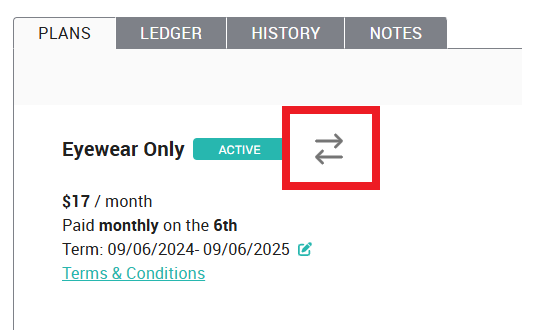
Locate the two-arrow icon on the member’s profile
Click the icon to initiate the transfer
Select the new location and choose the equivalent plan at the new location from the drop down lists
Save your changes, and the transfer is complete!
Support & Assistance
If you experience any issues or have questions, feel free to reach out for assistance—we’re here to help! The best way to reach us when you need help with a patient is by using the “Need Help? Email VHQ” link as shown below. Click that link and follow the system prompts to send us an email directly from your member’s account. This way we’ll have all the member’s information readily available and attached to your case so we can help you get answers even faster.

Related Articles
Member Statuses
In your Member List, the badges next to each member's name denote their current status. The color and the text tell you the full story: - Green means this member currently has an active membership. The text may read “ACTIVE” or “PAID IN OFFICE”. - ...User Permissions for Enhanced Office Security
To bolster security across our offices, we've made updates to the permission levels for user accounts. This guide outlines the new restrictions and explains how to update permissions when access to sensitive information is required. Restricted ...Switch a member's account from credit/debit card to in-office payments
While we don't recommend it, you can remove stored payment information from a member's account, and collect payment in your office at future renewals. A couple things to consider: The member must be enrolled in an annually renewing plan to pay in ...Accept in-office payment for membership fees
The platform allows you to receive payment for annually renewing plans in your office. This means you can accept cash, check, HSA, FSA, and whatever other payment source you already accept in your office for a member's annual membership fees. Monthly ...Implementing Payment Collection Systems in Your Office
Overview Ensuring accurate payment tracking in your office is crucial for financial management and membership renewals. Below are recommended systems for enrolling patients, posting payments to your PMS, and handling membership plan payments ...